Your screen stays on your Mac.
In the App Store edition, Apple Intelligence judges screen text on your Mac. Screenshots, screen text and task context are not sent for cloud analysis.
A quick detour shouldn’t take your whole afternoon.
Choose your task. Focusd notices when your screen drifts and helps you return.
Apple silicon · macOS 26+ Coming soon to the Mac App Store
Settle in. One intention, a little room around it.
Come back gently. A reminder of what you meant to do.
Rest, then begin again. Pause whenever you like. It waits.
You bring the intention. Focusd helps you keep it, and gets out of the way when you don’t need it.
Choose the one thing you want to make room for: a task, a project, or simply your work for the day.
If your screen wanders from the task for a while, Focusd asks, softly. A video can be research: tell Focusd when it gets the context wrong.
Use “Take me back” to return to your last on-task window when available. Your session history helps you look back on your workday.
Screens from the Mac app, shown with sample data
from a made-up month of work.
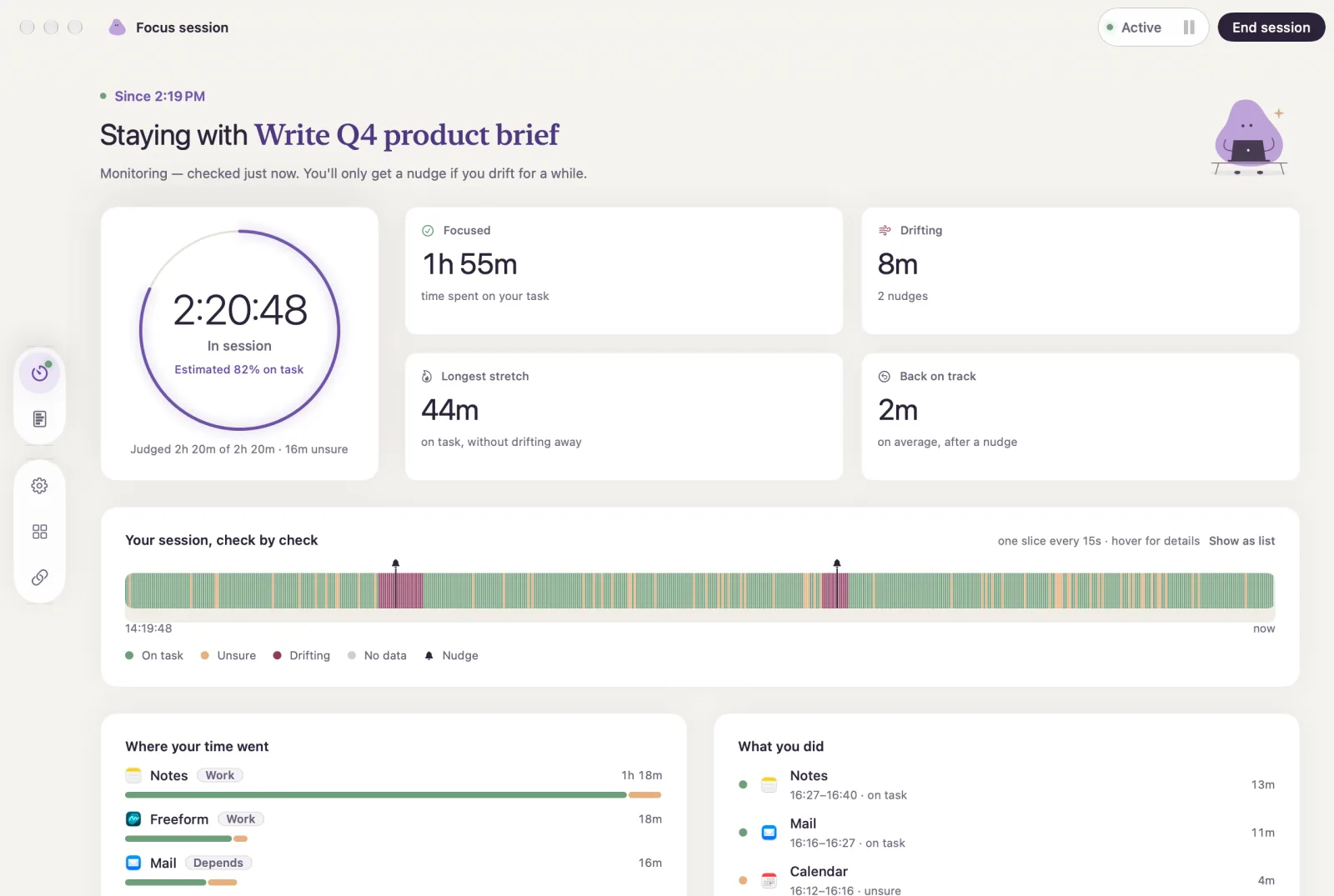
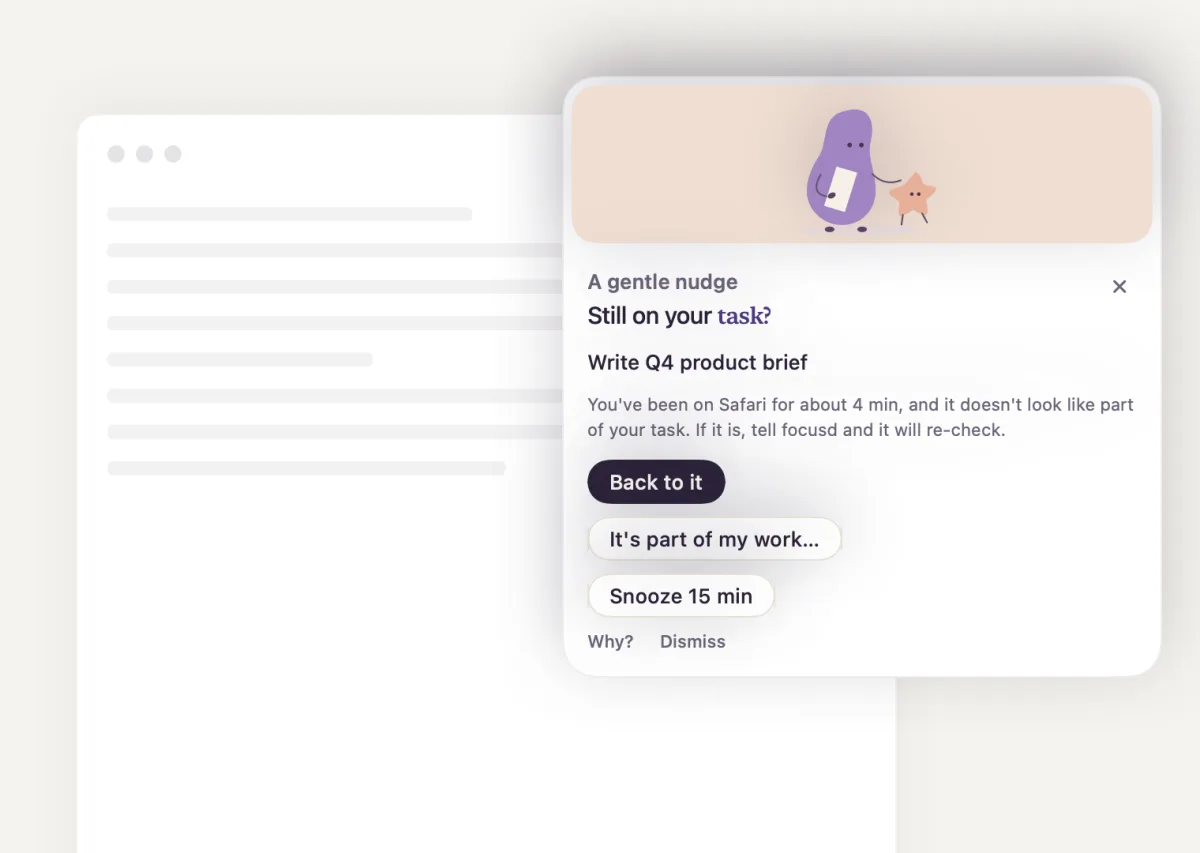
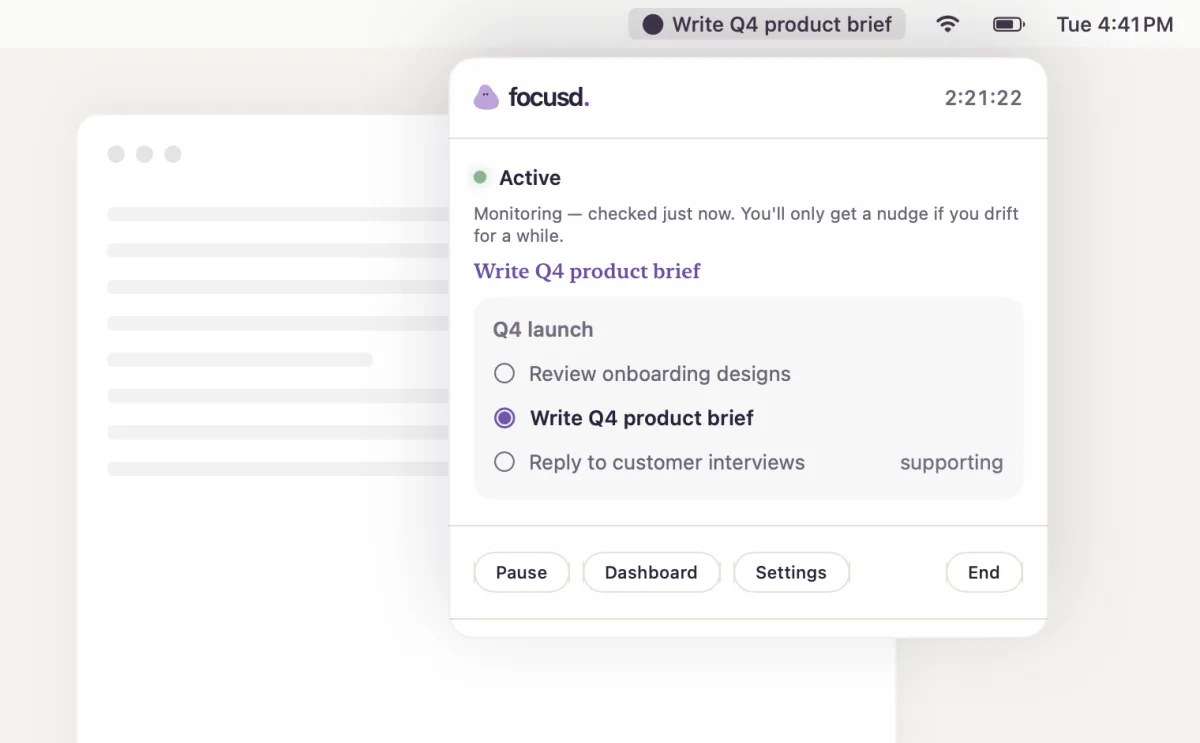
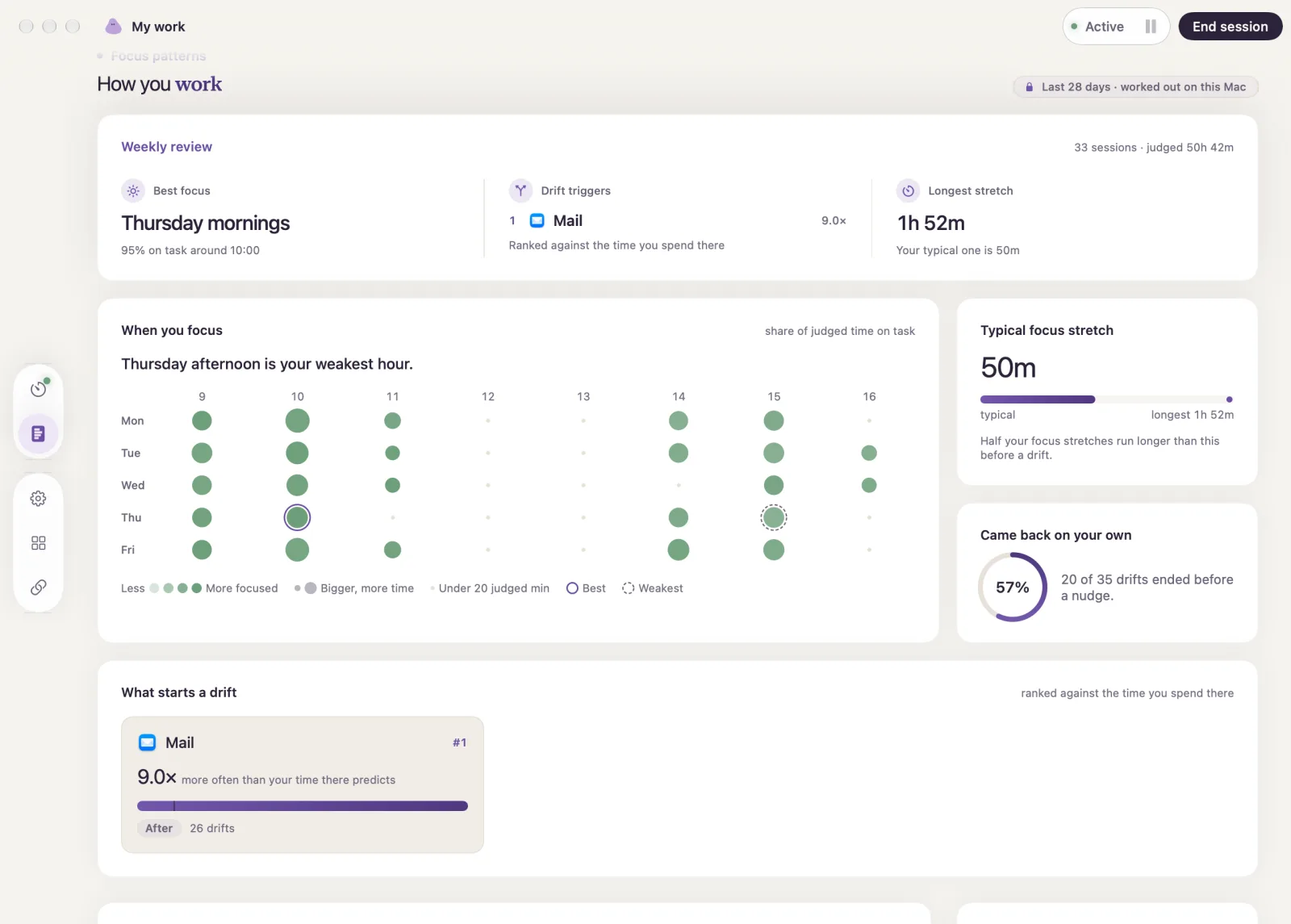
For work that moves between documents, code, research and videos. Focusd considers what you’re doing in relation to your task, without blocking the tools you need.
In the App Store edition, Apple Intelligence judges screen text on your Mac. Screenshots, screen text and task context are not sent for cloud analysis.
A video can be research. A browser can be a workspace. Your task sets the intention, not a list of banned sites.
Why Focusd doesn’t block websitesPause, take a break, or tell Focusd what a screen is for. You’re in charge of your attention.
The Mac App Store edition is on its way, with a 14-day free trial. Leave your email to hear when it’s ready.
A question instead? Write to me.
Thoughtful tools should feel transparent, too.
The Mac app considers whether the text visible on your screen relates to the task you chose. A documentation page and a video can both be relevant. Sustained possible distractions can trigger a gentle nudge; you stay in control. See how a focus app that doesn’t block websites works.
The upcoming App Store edition processes screenshots, screen text and task context on your Mac using Apple Intelligence. Optional usage sharing sends counters, not screen content. Earlier cloud-based builds have a different data flow; see our privacy policy.
Todoist, yes: connect it in the app to import your projects and tasks. Google Tasks is planned.
It’s coming to the Mac App Store with a 14-day free trial. You’ll need an Apple silicon Mac, macOS 26 or later, Apple Intelligence enabled with its model downloaded, and Screen Recording permission. Join the list for launch news.
A fresh start. One small intention.
Notify me at launch See pricing